Laptop Battery Calibration: Does It Still Matter?
“Your laptop battery needs regular calibration” – This used to be sage advice. However, laptop batteries have come a long way in the last decade. Older machines needed regular “battery calibration” to keep the charge meter accurate, and many guides still recommend doing it today. But with modern hardware and smarter battery management, is calibration still necessary — or is it outdated advice?
Let’s break it down in simple terms so you know whether your laptop actually needs it.
🔋 What Is Battery Calibration?
Laptop Battery calibration is the process of resetting your laptop’s battery meter so it can correctly estimate how much charge is left. Traditionally, this involved:
- Charging the battery to 100%
- Letting it drain completely
- Charging it back to full again
This helped older laptops because their battery controllers weren’t very accurate, especially after months of partial charging.
🧠 Why Calibration Used to Matter
Older lithium‑ion batteries and early power‑management systems had a few problems:
- The battery meter would drift over time
- Laptops struggled to estimate true capacity
- Partial charges confused the system
- Users often saw sudden shutdowns at 20–30%
Calibration helped the laptop “relearn” the battery’s real limits.
⚡ Do Modern Laptops Still Need Calibration?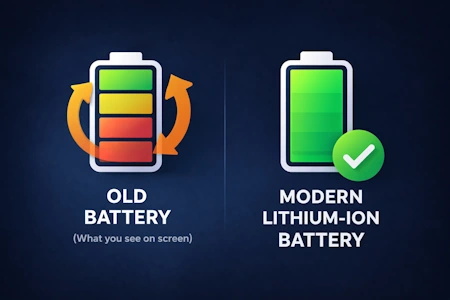
In most cases, no — not regularly. Modern laptops use smarter battery controllers and advanced firmware that automatically track battery health and capacity.
Today’s systems:
- Continuously monitor charge cycles
- Adjust capacity estimates in the background
- Use built‑in protections to prevent overcharging
- Rarely drift enough to need manual calibration
For most users, calibration is no longer a routine maintenance task.
🧭 When Calibration Can Still Help
Although it’s not something you need to do often, calibration can still be useful in a few situations:
1. The battery percentage jumps or drops suddenly
If your laptop goes from 40% to 5% instantly, the meter may be out of sync.
2. Your laptop shuts down before reaching 0%
This usually means the system thinks there’s more charge left than there really is.
3. You’ve replaced the battery
New third‑party batteries sometimes need a calibration cycle to report correctly.
4. The laptop has been unused for months
Long storage can confuse the battery controller.
In these cases, a single calibration cycle can help the laptop relearn the battery’s true capacity.
🚫 When You Should Avoid Calibration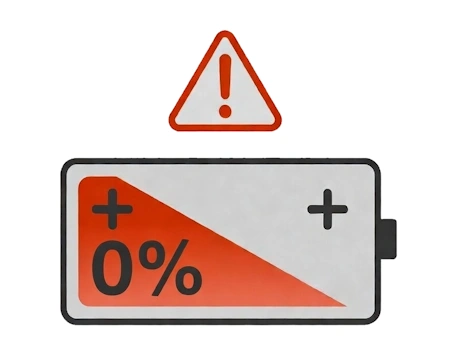
Here’s the important part: Fully draining a lithium‑ion battery is not good for its long‑term health.
Avoid calibration if:
- Your battery is already old and weak
- Your laptop gets very hot during discharge
- You’ve already done a calibration recently
- The battery is swollen or damaged
Modern batteries prefer shallow charge cycles — not full drains.
🛠️ How to Safely Calibrate (If You Need To)
If you decide calibration is necessary, here’s a safer, modern approach:
- Charge to 100% and leave it plugged in for an extra hour
- Use the laptop normally until it reaches around 5–10%
- Let it shut down on its own
- Charge back to 100% without interruption
This avoids the deep‑discharge stress of older calibration methods.
🧩 Do Manufacturers Recommend It?
Most modern laptop makers do not recommend routine calibration anymore. Some even include built‑in tools that handle battery learning automatically.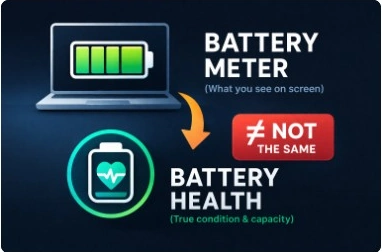
For example:
- Windows 11 includes battery health reporting
- Many laptops have “battery learning” or “battery reset” options in BIOS
- Some manufacturers discourage full discharges entirely
Always check your laptop’s support page for brand‑specific advice.
🎯 Final Thoughts
Laptop Battery calibration isn’t the essential maintenance task it used to be. Modern laptops are far better at managing battery health automatically, and frequent calibration can actually do more harm than good.
However, calibration still has its place when your battery meter becomes inaccurate or behaves unpredictably. Used sparingly — and safely — it can help restore accurate readings without damaging the battery.
If your laptop’s battery life is getting worse, calibration won’t fix that. It simply helps the laptop measure the battery more accurately, not improve its actual capacity.
More more great IT Tips check out our Index Page or follow us on Facebook