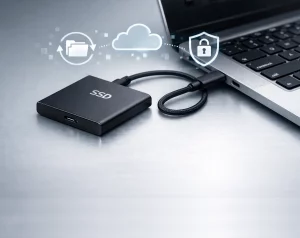
External SSDs have become the go‑to choice for anyone who needs fast, reliable storage on the move. Whether you’re backing up important files, carrying large media libraries, or just want a safer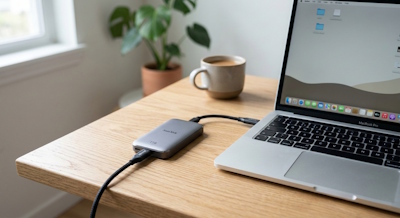 alternative to cloud‑only storage, an SSD offers speed, durability, and convenience that old‑school spinning hard drives simply can’t match.
But with so many models on the market, how do you choose the right one? This guide breaks down the key things to look for so you can buy with confidence.
🚀 Why Choose an SSD Instead of an HDD?
Before diving into the details, it’s worth understanding why SSDs are now the default choice:
- No moving parts → far more resistant to drops and knocks
- Much faster → ideal for large backups, video files, and frequent transfers
- Smaller and lighter → perfect for travel
- More reliable → less prone to mechanical failure
For backup or travel, these advantages make SSDs a safer long‑term investment.
🧩 1. Capacity: How Much Storage Do You Really Need?
External SSDs typically range from 250GB to 4TB, with 1TB and 2TB being the sweet spot for most people.
Choose:
- 500GB → light users, documents, photos
- 1TB → general backups, mixed media
- 2TB+ → video editing, large RAW photo libraries, multiple device backups
If you’re using it for travel, remember: you’ll always fill it faster than you expect. Going one size up is rarely a bad idea.
⚡ 2. Speed: What Do the Numbers Actually Mean?
Manufacturers love quoting big numbers like 1050MB/s or 2000MB/s, but real‑world performance depends on:
Interface
- USB 3.2 Gen 2 → up to ~1050MB/s
- USB 3.2 Gen 2×2 → up to ~2000MB/s (not supported on many laptops)
- Thunderbolt 3/4 → up to ~2800MB/s (Macs and high‑end PCs only)
Use case
- Backups & travel → 500–1050MB/s is more than enough
- Video editing from the drive → look for 1000MB/s+
- Professional workloads → Thunderbolt SSDs offer the best sustained speeds
If your laptop doesn’t support the faster standards, paying extra for a 2000MB/s drive is pointless.
🛡️ 3. Durability: A Must for Travel
One of the biggest advantages of SSDs is their toughness — but not all are created equal.
Look for:
- Drop protection (1–2 metres is common)
- IP rating (e.g., IP65 or IP67 for dust/water resistance)
- Rubberised casing for shock absorption
If you’re travelling, commuting, or storing the drive in a backpack, durability should be a top priority.
🔌 4. Connectivity: Make Sure It Works With Your Devices
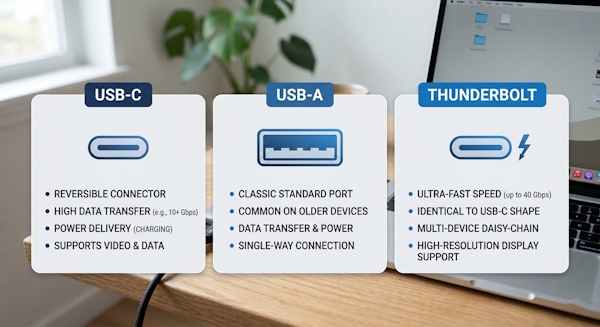
Most external SSDs use USB‑C, but the cable included in the box varies wildly.
Check for:
- USB‑C to USB‑C cable (ideal for modern laptops)
- USB‑C to USB‑A cable (needed for older PCs)
- Thunderbolt compatibility if you’re a Mac user
A surprising number of people buy a fast SSD only to discover their laptop’s port is the bottleneck.
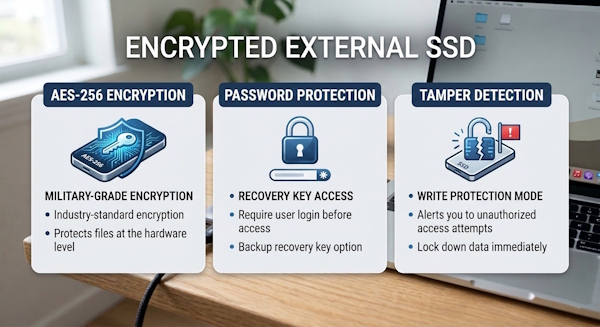
🔒 5. Security Features: Worth Considering for Travel
If you’re carrying sensitive data, look for drives with built‑in security:
- Hardware encryption (AES‑256)
- Password protection software
- Biometric options (fingerprint‑secured SSDs exist, though niche)
For business travel or storing personal documents, encryption is a smart extra layer of protection.
🌡️ 6. Heat Management: The Silent Performance Killer
Fast SSDs generate heat, especially during long transfers. Good drives include:
- Metal enclosures to dissipate heat
- Thermal pads or internal heat spreaders
- Firmware that prevents thermal throttling
If you plan to copy large files regularly, heat management matters more than you’d think.
💷 7. Price vs. Value: What Should You Expect to Pay?
As of 2026, typical UK pricing looks like:
| Capacity | Budget SSD | Mid‑range SSD | Premium SSD |
|---|---|---|---|
| 500GB | £35–£50 | £50–£70 | £80+ |
| 1TB | £55–£80 | £80–£110 | £120+ |
| 2TB | £90–£140 | £140–£180 | £200+ |
You don’t need a premium drive for simple backups — mid‑range models offer the best balance of speed, durability, and price.
🏆 Recommended Features Checklist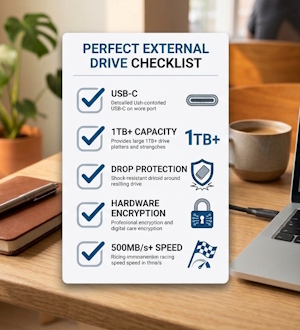
Before buying, make sure your external SSD ticks these boxes:
- ✔ USB‑C connection
- ✔ At least 1TB capacity
- ✔ 500MB/s+ real‑world speed
- ✔ Drop protection
- ✔ Encryption (optional but useful)
- ✔ Compatible with your laptop’s USB/Thunderbolt ports
If a drive meets these criteria, it’s a solid choice for both backup and travel.
🎯 Final Thoughts
Choosing the right external SSD doesn’t have to be complicated. Focus on capacity, durability, and compatibility rather than chasing the highest speed numbers. For most users, a mid‑range 1TB or 2TB USB‑C SSD will offer excellent performance, long‑term reliability, and peace of mind when travelling.
One thing that should also be considered, of course, is the humble USB thumb drive.