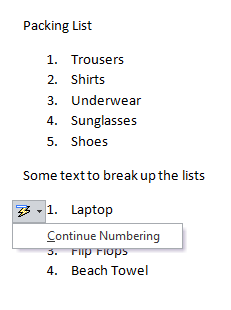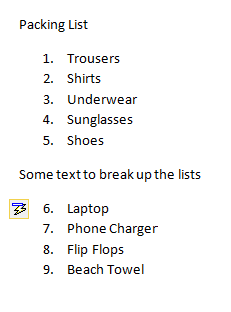
Sometimes when you are creating a list you may need to break it up with a few lines of text or maybe a graphic, but then continue the numbering from where you left off.
- In your document click ‘Numbering’ to start your list.
- Create some list items.
- Cancel the list and insert some standard text.
- Re-start your numbered list, it will start again from ‘1’
- Click the lightning bolt that appears and hit Continue Numbering.