Customising Numbered Lists
Just as with bullets, there are various ways that you can customise your numbering styles.
- With the cursor positioned somewhere in the list activate the Home tab.
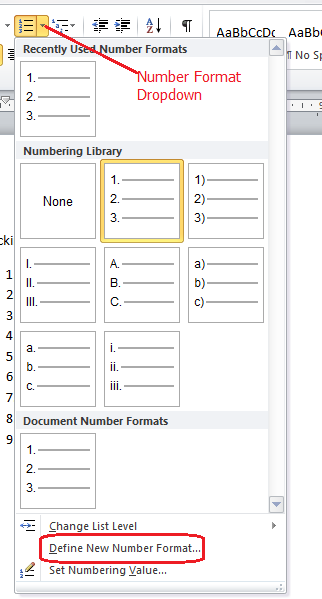
- Click the arrow next to the Numbering button to display the menu.
- Select a new numbering style from the list or choose ‘Define New Number Format’
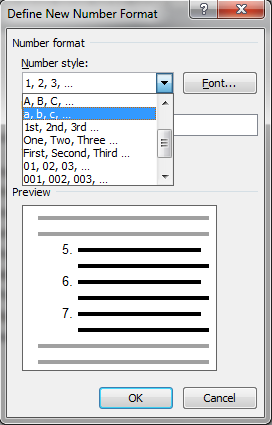
Under the ‘Define New Number Format’ you will find various options that allow you to change the format from a standard 1,2,3 format to something different such as a,b,c or 1st, 2nd, 3rd.
Top tip
Numbered lists don’t have to start at the beginning value, in the numbering menu select ‘Set Numbering Value’ to define starting point for your list.